
Industry Guides
- Instagram automation
- Footwear business
- Online shoe stores
- Comment-to-DM
- Size availability
- Instagram sales
- dminsecond
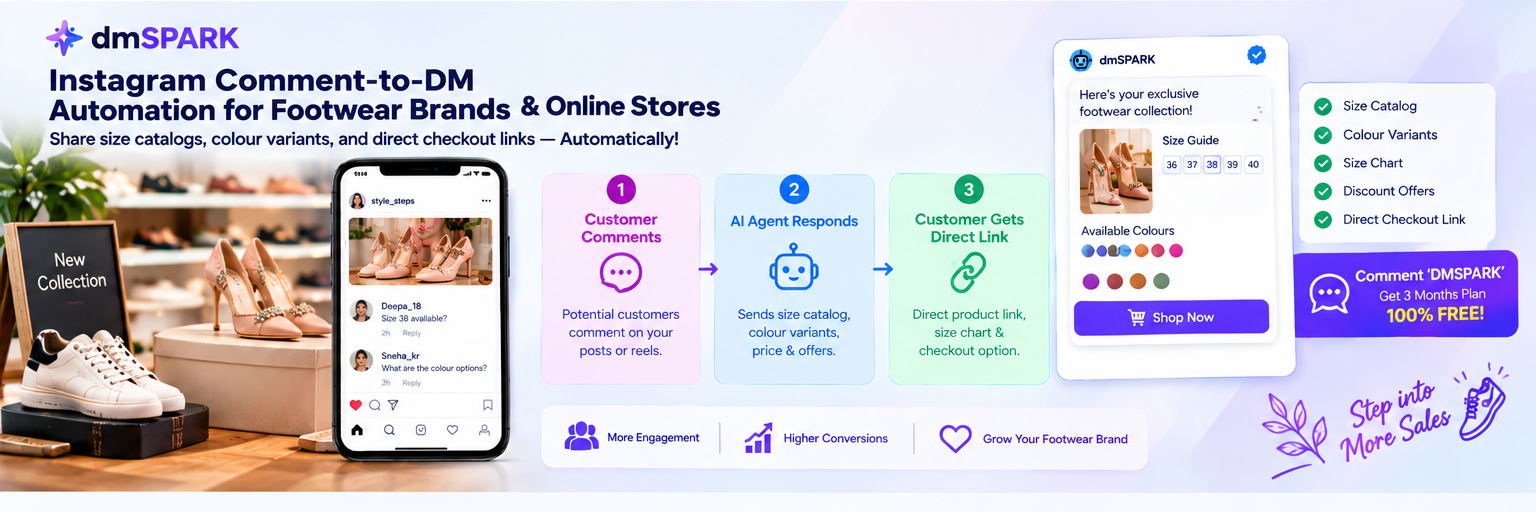
Instagram Comment-to-DM Automation for Footwear Brands and Online Stores
Turn footwear enquiries into sales with automated replies, size availability, colour options, size charts, and direct checkout links.
Why footwear brands lose Instagram sales
Instagram Reels help footwear brands showcase trendy flats, sneakers, sandals, bridal heels, and new seasonal collections. Attractive product videos can generate comments from potential customers asking about available sizes, colours, prices, and delivery options.
When several customers ask questions at the same time, replying manually can become difficult. A customer looking for a specific shoe size may leave before receiving an answer, particularly when the product is available in limited sizes or colours.
A structured comment-to-DM workflow can help footwear businesses handle eligible enquiries more efficiently and direct interested shoppers to relevant product information.
Why basic instant replies may not be enough
A basic instant reply can acknowledge an enquiry or share a general link, depending on the available account features. However, footwear customers often need specific details before deciding to purchase.
For example, someone interested in bridal heels may want to know whether size 38 is available, which colours are in stock, or whether the same design comes in another heel height.
A generic response may not answer these questions. Providing relevant product details, size charts, and colour options can help customers find what they need more easily.
What is Instagram comment-to-DM automation?
Comment-to-DM automation connects eligible Instagram comments with a configured private-reply or messaging workflow. Depending on current Meta requirements, account eligibility, and available features, businesses can use it to share relevant information with interested customers.
With dminsecond, footwear brands can explore supported comment-triggered automation features to help send configured replies and direct messages. The exact capabilities depend on the current product offering and connected Instagram account.
For example, a footwear store promoting a new collection could configure a campaign that directs interested customers to a relevant size guide, product page, or shopping link.
How to automate footwear enquiries with dminsecond
Start by selecting an Instagram Reel or post featuring a specific shoe design or collection. Decide what information customers should receive when they comment, such as available sizes, colour variants, pricing, or a direct product link.
Choose a relevant comment trigger that matches your call to action. For example, customers who comment SIZE could receive a configured message with the relevant size guide and product details, where supported.
Prepare accurate product information, including available sizes, colours, prices, and delivery details. Make sure your message directs customers to the correct product page rather than a general page that requires unnecessary searching.
Test the workflow before promoting the post. Confirm the selected Instagram account, trigger keywords, message content, destination links, and actual recipient experience.
Make size charts and colour variants easier to discover
Footwear shoppers often compare sizes, colours, materials, and styles before making a purchase. Making these details easy to access can reduce confusion and help customers make more informed decisions.
A configured follow-up message can direct customers to a size chart, available colour options, product photographs, or a relevant product page. For bridal footwear, you could also share information about heel height, occasion suitability, and matching styles when available.
Keep stock information updated and avoid promising a particular size or colour unless it is actually available. If a product has multiple variants, ensure the destination page makes it easy for shoppers to select the correct option.
Automation can simplify the initial shopping journey, but purchases still depend on factors such as fit, comfort, pricing, product quality, shipping, and customer trust.
Best practices for footwear Instagram automation
Use clear calls to action such as Comment SIZE for the size guide or Comment HEELS for bridal footwear details. Choose keywords that match the featured product and avoid overly broad triggers that may match unrelated comments.
Keep product messages short, useful, and easy to read on a mobile screen. Prioritise the information the customer requested and include a relevant product or checkout link.
Check that size charts use the correct measurement system and that colour photographs represent the actual products as accurately as possible. Update availability and prices whenever inventory changes.
Review current Meta permissions, account eligibility, supported comment surfaces, and messaging limits before launching. Monitor campaign activity and improve the workflow based on customer questions and purchasing behaviour.
Grow your footwear business with dminsecond
Ready to spend less time answering repetitive size and colour questions? Explore dminsecond to learn about its available Instagram automation features and how they may fit your footwear business.
Build focused campaigns around new arrivals, best-selling flats, bridal heels, and seasonal collections. Relevant messaging can help interested shoppers discover product information and continue towards checkout.
Visit the dminsecond website to explore the platform. If you promote a free three-month business plan, confirm the offer's eligibility, availability, and terms before publishing.